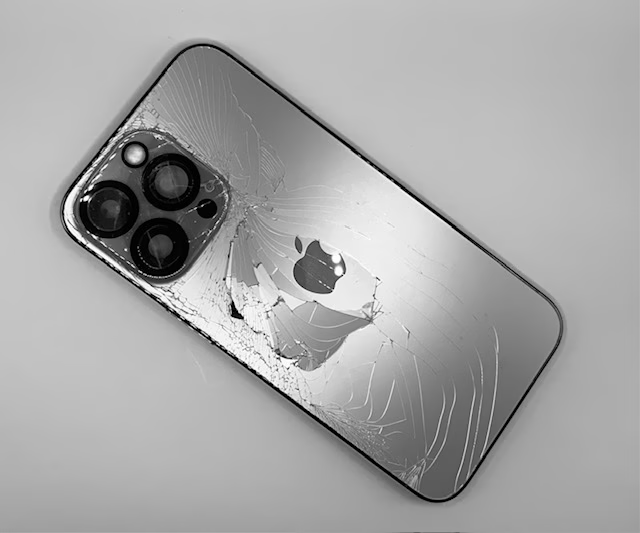
Your iPhone’s Back Is Cracked… and It’s Basically the Plumber’s Crack of Phones
A cracked iPhone back might seem like a cosmetic issue, but it can make your…

There’s a special kind of annoyance reserved for an iPhone that refuses to charge.
Not a dramatic, shattered-screen annoyance.
Not a dropped-it-in-the-toilet annoyance.
This is a slower, pettier problem.
You plug it in. Nothing.
You wiggle the cable. Nothing.
You try a second charger. Then a third. Then the one from your car. Then the one beside your bed that looks like it survived three wars and a Labrador puppy.
Still nothing.
And now you’re standing there, staring at your phone like it personally betrayed you.
If you’re in Barrie and your iPhone won’t charge, here’s the honest truth:
It’s probably not the cable.
Sometimes it is, sure. Cables fail. Cheap cables fail faster. Dollar-bin cables fail with real enthusiasm.
But a lot of the time, the real problem is lint packed into the port, a worn-out charging port, moisture damage, or a battery issue that’s finally decided to stop pretending everything’s fine.
And if that’s the case, endlessly swapping cords around your house like some kind of desperate electrician is not going to solve it.
Most people assume the charger is the problem because it’s the easiest thing to blame.
That’s fair.
But iPhones usually stop charging for a handful of much less glamorous reasons:
If your cable suddenly feels loose, only charges at a weird angle, or pops out too easily, that’s a giant clue.
That’s not your iPhone being moody.
That’s your charging port asking for help in the most annoying way possible.
This is the stage where people buy another cable and hope for a miracle.
Sometimes they buy two.
Then they try the charger from the kitchen.
Then the one from the car.
Then the one their spouse uses.
Then the “good one” nobody is allowed to touch.
And when none of them work, the mood gets dark.
Here’s the thing:
If your iPhone still won’t charge after trying a known good cable and wall adapter, there’s a very good chance the issue is in the phone itself, not the accessory.
That’s when it makes more sense to look at a proper charging port repair in Barrie instead of continuing your cable scavenger hunt across the house.
This one surprises people, even though it probably shouldn’t.
Your charging port lives at the bottom of your phone.
Which means it spends its life collecting:
Over time, all that junk packs down inside the port until your charging cable can’t seat properly anymore.
Then the symptoms start:
And yes, sometimes a cleaning solves it.
But sometimes the customer has already gone in there with a paperclip, a pin, or something else heroic and unwise, and now the port is damaged too.
That’s when a simple cleaning turns into an actual repair.
People often mix these up.
A bad battery and a bad charging port can both make your phone feel unreliable, but the symptoms aren’t quite the same.
A battery problem often looks like this:
A charging port problem often looks like this:
If the cable connection itself feels sketchy, the port is often the real culprit.
That’s where a proper iPhone charging port repair starts to make a lot more sense than pretending your phone just needs “one more reset.”
This is the part where the cheap-shop crowd gets uncomfortable.
Good.
Because if someone is advertising rock-bottom repair pricing, there’s usually a reason.
Maybe they’re rushing.
Maybe they’re using weak parts.
Maybe they’re barely testing the device.
Maybe they’re doing the repair in the spiritual atmosphere of a mall kiosk and a prayer.
Charging issues are one of those things that can look fixed for five minutes and then fail again the second you get home.
That’s why proper diagnosis matters.
Sometimes it’s just dirt.
Sometimes it’s the port.
Sometimes it’s deeper.
And if someone skips that step and just guesses, you’re the one paying twice.
Sure. Sometimes.
But that’s not really fixing the problem.
That’s like discovering your front door is jammed and deciding to climb through a window forever.
If your phone supports wireless charging and you need a short-term workaround, fine.
But if the port is damaged, it’s still damaged.
And if you ever need to plug in for data transfer, CarPlay, recovery mode, backups, or just normal charging that isn’t painfully slow and fussy, you’re right back where you started.
Usually, yes.
If the rest of the phone works well, a charging port repair is often far cheaper than replacing the whole device.
A lot of people panic and assume the phone is finished.
It usually isn’t.
If your screen is good, your camera is fine, the phone still runs well, and the main issue is charging, then repairing it is often the smart move.
That’s especially true if you’ve already got a decent iPhone and don’t feel like spending a small fortune on a new one just because the bottom port decided to retire early.
If you want the broader repair options, you can also check out the main iPhone repair page and see what makes sense based on your device and symptoms.
Before assuming the worst, try these:
That last one matters more than people think.
If the port is dirty or damaged, repeatedly jamming the cable in there like you’re trying to start a lawnmower is not helping.
An iPhone that won’t charge is one of those problems people waste way too much time trying to outsmart.
They reboot it.
They swap cables.
They blame Apple.
They blame the charger.
They blow into the port like it’s a Nintendo cartridge from BC.
And sometimes the answer is much simpler:
The phone needs repair.
Not drama.
Not three more charging cords.
Not another forum thread from 2018.
Just a proper diagnosis and the right fix.
Because if your iPhone won’t charge, it’s probably not the cable.
And the longer you fight with it, the less charming this little situation becomes.
If your cable feels loose, charging cuts in and out, or nothing happens when you plug in, there’s a good chance the issue is the port itself. Get a fast, honest diagnosis in Barrie and find out whether it needs a cleaning, a charging port repair, or something deeper.
Book Charging Port Repair